
Week 4 Roguelike Vibecoding: UI/UX Cooking with GAS
Struggling with my AI agent on graphics makes me want to die 💀

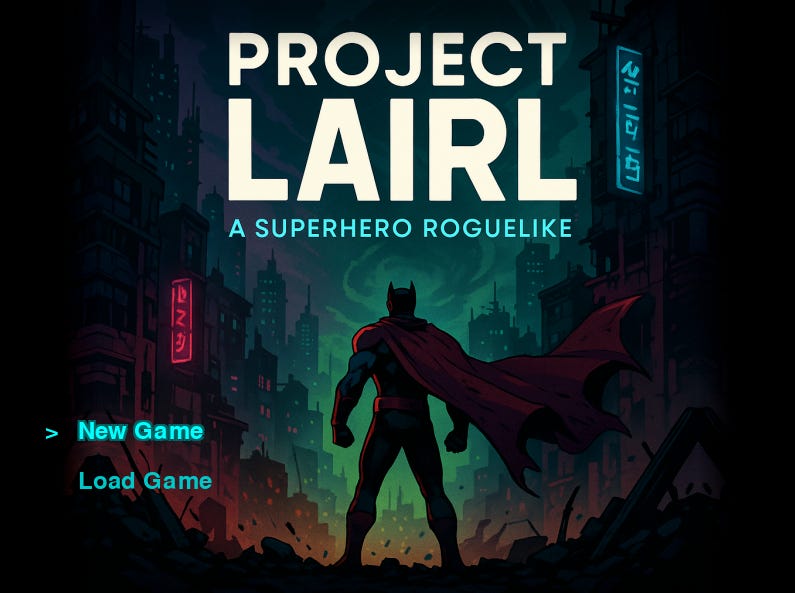
My Saturdays have become wholly dedicated to vibe coding, and my game is moving along nicely with weeks' worth of progress in just a few hours today. My title screen is now the most attractive looking part of my game, thanks to some ChatGPT-supplied Neo-Tokyo cyberpunk comic book artwork and a bit of palette magic that looks like, "Hey Claude, here's my new title screen. Can you generate a palette that I can use for my UI to match it?" Claude happily obliges, and we're off to the races with some soft cyan glow effects and a rusty faded-blood maroon I can reproduce across the accents on all of my game menus.
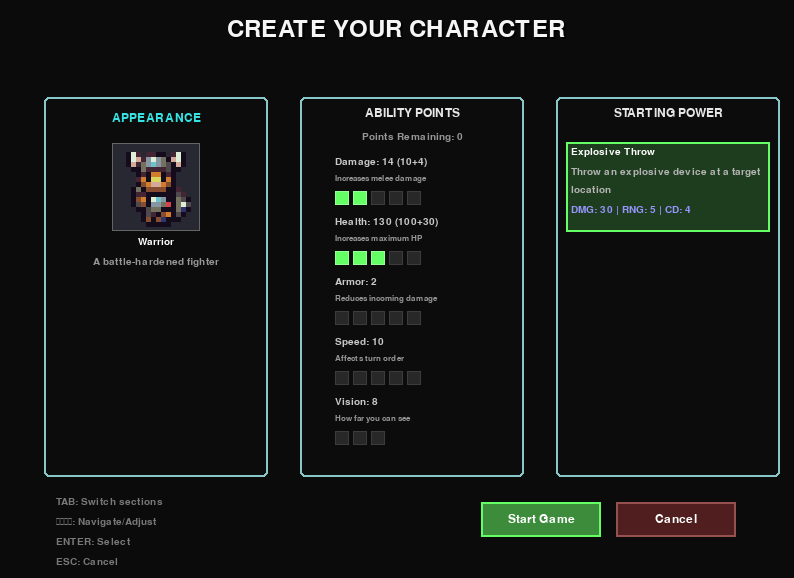
If only all of my menus and my UI could look as nice as my title screen, but alas. It's not to be. This weekend I’ve discovered that trying to position individual UI menu elements of complex menus with an AI agent who can't actually see them is an exercise in massive frustration. I spent hours trying to make status bar highlights that ended in triangles using simple geometric Pygame drawing, and it absolutely would've been faster to just ask ChatGPT how to do it myself. Even though I’m vibe coding this on principle, eventually I quit in fury and used a different approach for the selectors because every single time I got it to do something right, it would introduce some other minor regression or issue which, while often tiny, would mess up the polish I was trying to add.
Because that center image on the title screen is actually square, I was trying to add an effect that would have been really simple if I was doing it manually, which was mirroring a small portion of the image edge and doing a nice gradual gradient fade out on both sides to blend out to the edges of the screen. Unfortunately, this was incredibly hard to explain to Claude no matter how many times I patiently noted that I wanted the gradient to go from transparent inside at the center image's edge to full black opacity at the far outside at the edge of the screen on both sides. It took me almost an hour to get close to the effect I wanted, and I actually ended up tweaking the opacity and gradient length calculations manually to get exactly what I needed. While I admit this was cheating, I only have so much sanity available for multiple rounds of "nope, you still have those gradients drawing backwards, Claude.”
I don't understand why the agents struggle so much to translate the position of the area effect and how what it actually draws differs from what it's claiming it drew. It clearly understood what I wanted, confidently reporting back that it had done it correctly and repeating my request back to me. But when I would actually load the build, my mirror edges would be missing, or my gradients would be out of position or horizontally flipped on both sides, or the whole screen edge would suddenly have the wrong opacity. This positional flipping was also an experience I had when I was trying to get the agent to intelligently auto-tile corridors and corners earlier in the build. It really seems to struggle with understanding what "northwest" or "upper left" means in relation to other directions or cardinals on the game canvas, even though everything else paints correctly.
I had the bright idea to add an in-game UI repositioning mode that would allow me to rearrange elements within the game engine itself so that I could resize and precisely place UI elements without trying to go 20 rounds with the agent (burning tokens every round trip and despairing along the way). This worked really well until it didn't. The issue was that because I hadn't built my UI for this system from the ground up, I was trying to apply it in different places onto different styles of UI element with different modes of drawing their interiors. Eventually, in trying to bug-stomp out all of the little issues with my placement system, I got frustrated all over again for the same reason as trying to have the agent do the UI directly: it kept being one step forward and one step back because it would fix one thing and introduce a regression in another. There was just too much complexity for all of the different UI elements it was trying to make work simultaneously, and I eventually got tired and nuked the branch.
I probably will come back to that method later—it showed promise in spite of how annoyed I got with it today. But I'm going to wait until I can do it properly and rip out all of the UI elements to rebuild the whole UI system from the ground up while preserving the underlying actions. I don't expect it to be too bad because of the modular design approach I mentioned from Week 3 of this series (which continues to work very well), and what's nice is it should even piggyback on a player-driven customizable UI feature that I'll be able to let them adjust in a settings file because every UI element will be its own distinct widget from the start. It's a much cleaner way to approach this overall, once I'm done messing with the core systems design.
What totally changed my day today was when I decided to stop trying for perfection and lean harder into the “vibe” of vibe-coding. Rather than trying to get systems to look nicer when I knew that I was going to have to eventually redo them anyway, I decided instead to focus on the bigger picture and get as many subsystems into the build as I could, keeping with the overall project architecture guidelines and trying to get more of the big picture sketched out while worrying about the details later. Not only did this improve my mood and massively speed up my progress, but it's honestly also the right way to do any kind of game development (because it doesn't matter if your UI menus look really nice if the game isn't fun). "Perfect is the enemy of good,” and all that.
The agents really do much better if you give them free reign at a high level to approach it however they want to within constraints, and then for tweaks or fixes get really lasered in on a very specific thing you want them to change at the lower level. That seems to be the two modes they work best in. What doesn't work as well is a laundry list of 4-5 tweaks or fixes after it's already working with a one-shot overall addition to the game. Changing to this approach has allowed me to just start busting out systems on 3 concurrent threads and I managed to make a ton of progress today. I now have:
A leveling and XP system that awards experience for killing monsters and lets the player level up
A powers system with a few initial working superpowers since I've decided I'm going to try doing a superhero themed roguelike (there aren’t enough superhero games)
A character creation menu that lets you assign some initial stats and choose your initial power
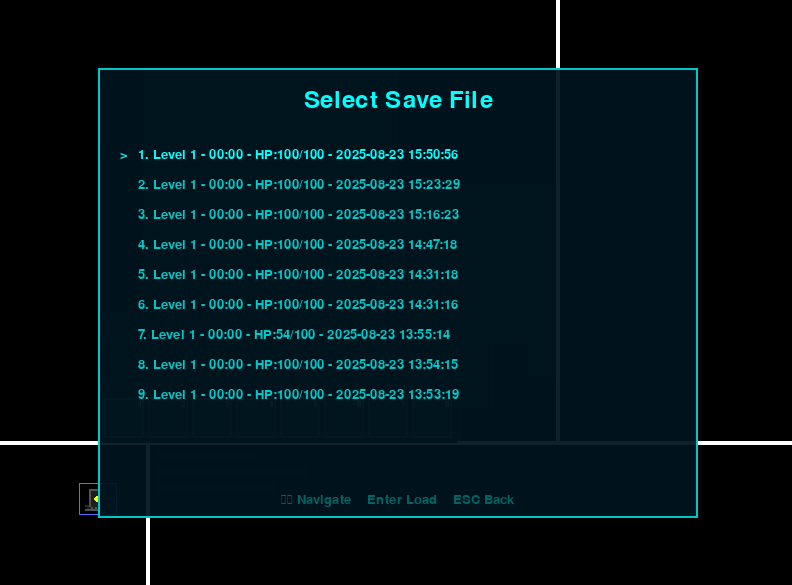
A new title screen with the ability to start a new game or load a saved game
An in-game system menu with the ability to quit to title or desktop, save, load, and a dummy menu for settings for later when I actually want to add settings controls
And then, of course, there's my favorite feature I added today: a map making tool for the static maps in my game. It's an almost direct clone of the RPG Maker map tiler with some added features and as many layers as I want to add to the JSON game maps I’m planning to use soon.
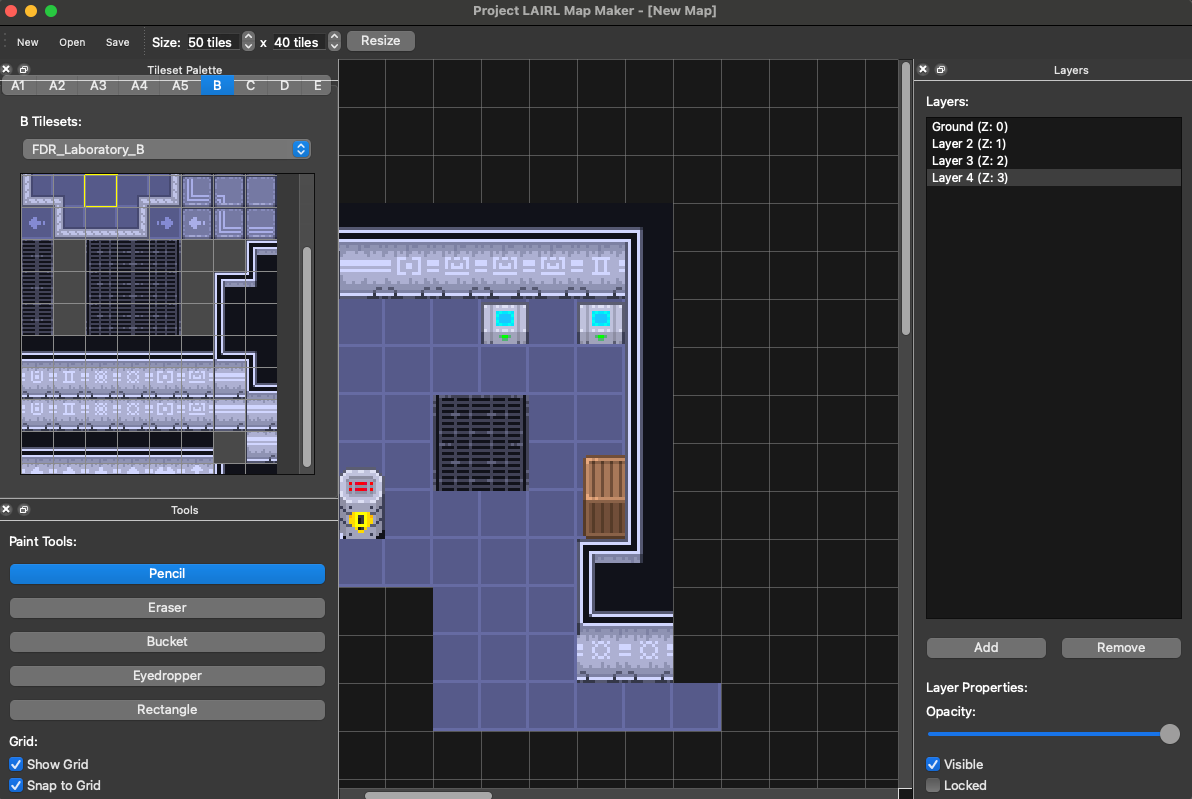
Could I have just used something like Tiled and not have to rebuild a mapmaker from scratch? Sure. But this way I can add whatever features I want to it whenever I want to, and it's going to build exactly the game I want in exactly the file format I need to work with my game files. Sonnet one-shot the first build of this mapmaker in Cursor using a PRD designed by GPT-5 while I was working with Claude-code on my second monitor, I've been bouncing back and forth between the two builds to iterate on this all afternoon.
This is what I'm saying about better approaches for UI development: While it's possible to make UI work by going 25 rounds back and forth with your agent and eventually kind of get what you want, the agents are absolutely cracked at making one-off tools to meet your needs. Instead of tearing your hair out trying to get Claude to draw a triangle, think about what kind of tool would make it easy to build the UI you want for your game and ask it to build that instead. It's a much better overall approach, and the one I'm going to continue to experiment with on this adventure towards something like a playable, vibe-coded roguelike.
Standard Disclaimer: If you haven't read my earlier pieces, every line of code in this game (and the accompanying tests and tools) has been vibe-coded by AI. All screenshots you see are taken directly from my game builds or my tool builds.
I have a lot of fun with asking the bot to write me a manual qa sheet for features and then going through it from the position of manual qa. You keep close in touch with the project, can respecify on the fly, are force to look at every single thing. Because manual qa is such a known process the sheets that the bot writes are great with step bystep setup and scenarios ,you can skip the ones that you dont care about and put your feedback right on that qa sheet with scenario fails/expecteds, then feed that back in as context. Flawless as far as I have experienced.
Bonus oddity: Once I start phrasing things as qa fails it starts trying to commit and push between test cycles :)
The lack of real-time visual feedback is definitely the biggest shortcoming I’m finding in my project. Anything purely code or text based Claude nails, but it sure does struggle with nice human interfaces since it doesn’t have the human part.